
Search close, compare live rates
Cheap hotels, budget hotels and motels near the place that matters.
Use your current location or choose an exact ZIP code, airport, landmark, stadium, arena, convention center, music venue, beach, national park, address or other point of interest. BusinessHotels.com checks nearby supported hotel-style properties for live rates and shows the closest available options first.
Cheap hotels near meBudget hotels near meCheap motels near meAffordable accommodations nearby
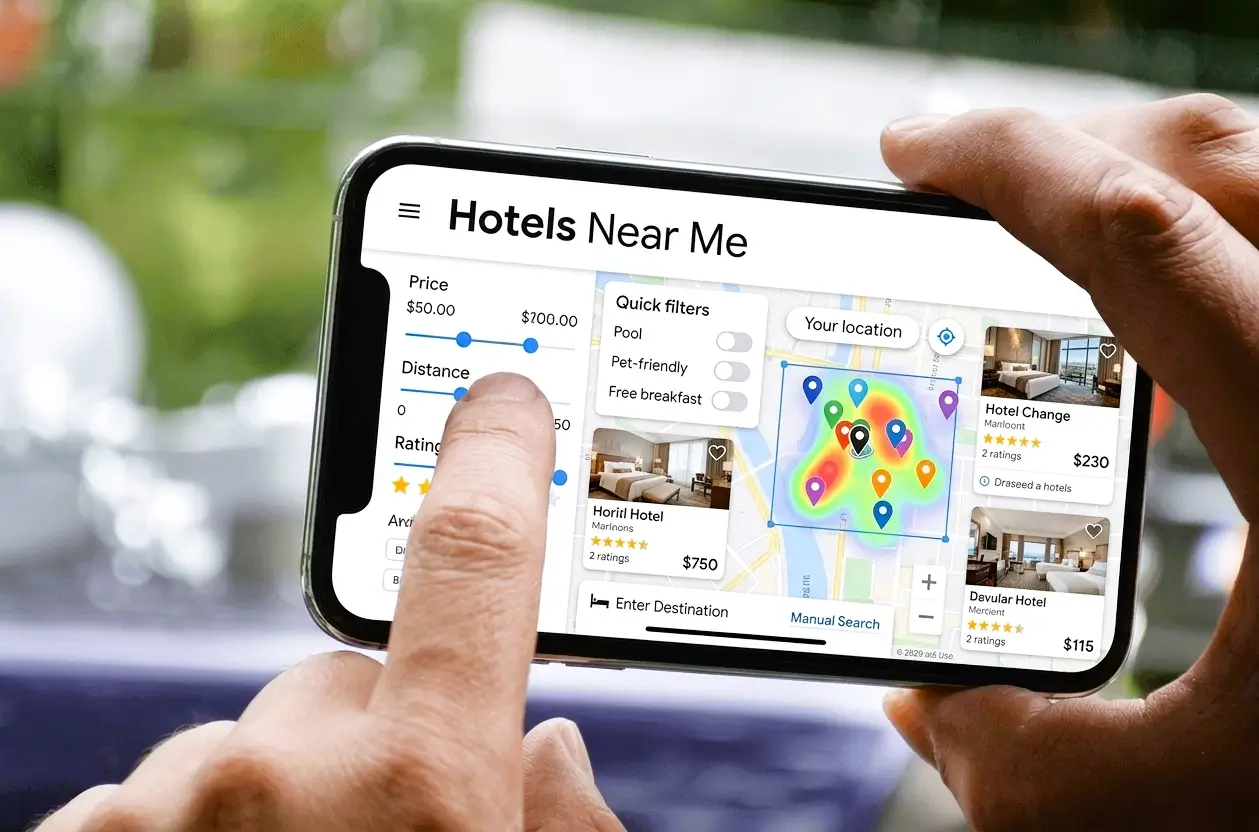
Nearby live hotel searchSearch close. Check live.
Start from where you are or from the exact place you need to visit. Nearby supported hotels are checked for live availability for your dates.
Explore location guides
Cheap hotels near cities, airports, landmarks and major visitor destinations
Browse the location directory for major U.S. cities, 500 international travel cities, airports, national parks, beaches, stadiums, arenas, convention centers, music venues and other high-interest places.
Budget stays near the place you need
Find cheap hotels, motels and affordable accommodations near any point of interest
Search for budget-friendly hotels and motels close to an attraction, landmark, stadium, arena, convention center, airport, hospital, museum, train station, business location, entertainment venue or exact street address. Enter the place you want to stay near, select your dates, and BusinessHotels.com checks nearby supported hotel-style properties for available live rates and shows the closest available options first.
Cheap motels, budget hotels and affordable accommodations
“Cheap” depends on your dates, demand and exact location. Search results can include supported hotels, motels, inns, hostels and other hotel-style lodging. Compare the total stay price, cancellation terms, room details and property information before booking.
Good to know
Nearby budget hotel search FAQ
How do I find cheap hotels or motels near me?
Use your current location only when you choose to, or select an exact ZIP code, airport, landmark, address, venue or point of interest. Then select dates and check nearby supported properties with live rates.
Can I search for budget hotels near an airport, stadium or convention center?
Yes. Select the exact airport, stadium, arena, convention center, music venue, landmark or address from the suggestions so the nearby search can use it as the origin.
Can I search for available hotels in a city?
Yes. Select a city from the suggestions, choose your dates and search to see up to 50 supported hotels with available live rates. You can compare prices, sort the results or choose a specific airport, landmark, address or point of interest for a closer nearby search. City-search distances are measured from the selected city center.
Are the displayed properties available for my dates?
The nearby results shown by this tool are checked for live rates for the dates selected. Availability and prices can change, so review the final booking page before completing a reservation.
When should I book a hotel near an airport, stadium or major attraction?
Demand can rise around holidays, conventions, concerts, sports events and peak travel periods. If your dates are fixed, compare options earlier and favor cancellation terms that fit your plans.
Is it better to stay right next to the place or a little farther away?
It depends on price, transportation and your schedule. Compare the closest hotels first, then weigh walking or shuttle convenience against total stay price, parking and transit time.
Can I search near a specific address without sharing my current location?
Yes. Enter the exact address or place in the search box and select the matching suggestion. The nearby hotel search can use that selected place as the origin without using your device location.
What happens if the closest hotel has no available live rate?
BusinessHotels.com continues through nearby supported hotel candidates and skips properties that do not return a valid live rate for your selected dates, so the closest available options can be shown.
Does every displayed nearby hotel have a live rate?
Every property displayed by the nearby live-rate results returned a valid live rate for the selected dates at search time. Hotel inventory and pricing can still change before booking.
Can I search for hotels near a train station, hospital, museum or company headquarters?
Yes. Enter the exact station, hospital or medical center, museum, cultural venue, business campus, company headquarters, shopping district or entertainment area and choose the matching place from the suggestions before selecting dates.
How do I choose a hotel near a shopping or entertainment district?
District names can cover a wide area. Use the exact district, square, venue, station, street or landmark that matters most, then compare distance, public transit, parking, nighttime activity and total stay price.
Can I find cheap hotels or motels near a point of interest?
Yes. Search the exact attraction, landmark, stadium, convention center, airport, hospital, business location, venue or address, then select dates. BusinessHotels.com checks nearby supported hotel-style properties for available live rates.
Are cheap hotel results sorted by the lowest price?
By default, nearby results are availability-first and closest-first. After live rates load, you can sort the matching hotels by lowest full-stay total, closest distance or a balance of price and distance, and you can also apply total-budget or distance limits.