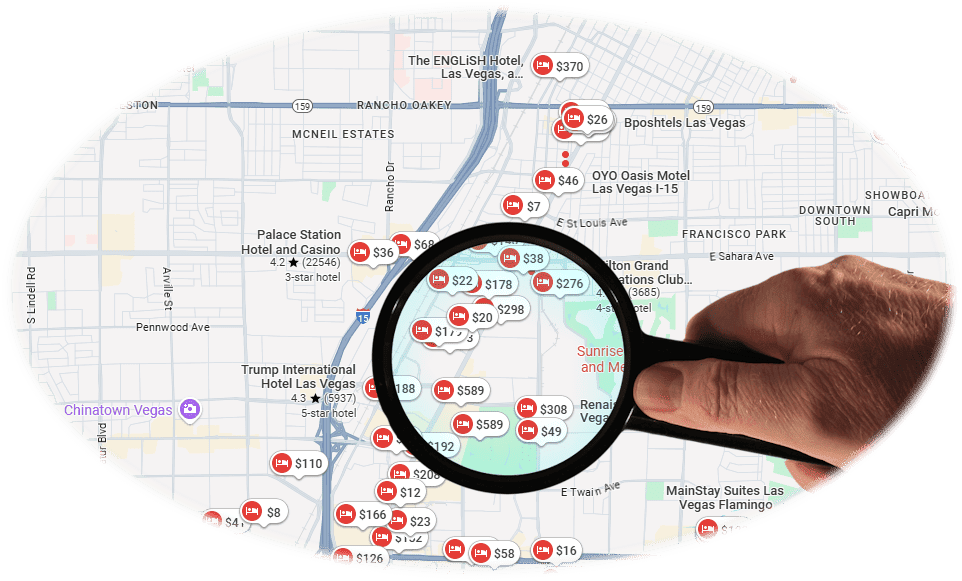
Trivago compares offers from booking providers. Before you choose one, search the same hotel and dates on BusinessHotels.com and compare another live option.
Trivago is an accommodation metasearch engine that compares hotel prices and offers supplied by many booking websites. Travelers can compare available deals, review important property details, and then continue to the selected booking provider to complete payment and manage the reservation.
Current platform information: Trivago’s Help Center describes the service as an accommodation-price comparison engine covering more than 2.5 million hotels and other accommodations across approximately 190 countries.
Read Trivago’s explanation.
?
Trivago Hotels – Frequently Asked Questions
Trivago is a hotel and accommodation metasearch engine. It compares offers supplied by booking sites so travelers can evaluate prices and select an option.
Trivago mainly compares accommodation offers. After a traveler selects an offer, booking and payment are generally completed or managed by the booking provider shown with that deal. Some branded Trivago booking experiences may use a different flow, so always check the provider before confirming.
Travelers can use Trivago’s comparison search without paying a search fee. Booking sites may pay Trivago when a traveler clicks a listed offer.
Trivago displays hotel ratings and review information when available. Check the number of reviews, the source, and the most recent comments before choosing a property.
Trivago is focused on hotels and other accommodations rather than operating as a general flight metasearch engine. Travelers looking for airline tickets should use a dedicated flight-search service alongside their hotel comparison.
Trivago offers mobile access, including apps in supported app stores. Features and availability can vary by device and country.
Compare Hotel Prices
Compare available hotel offers from multiple booking providers in one search.
Changing Availability
Prices and room availability can change, so verify the final details on the booking site.
Useful Filters
Narrow results by price, rating, property type, amenities, or distance from a location.
◷
Trivago Last-Minute Hotel Deals
Does Trivago search for last-minute hotel deals? Yes—travelers can compare accommodation offers for tonight or other near-term dates when inventory is available.
Unsold rooms and cancellations can sometimes produce lower last-minute prices, but popular dates can also become more expensive as availability decreases. Compare the total price, cancellation terms, taxes, and mandatory fees before choosing.
If you are comfortable accepting stricter terms, a non-refundable rate may cost less than a flexible option. Review our guide to hotels with free cancellation before deciding.
✈
Trivago Flights, Airline Tickets & Airfares
Does Trivago offer a full flight-search engine? Trivago is primarily focused on accommodations rather than general airfare comparison.
Travelers often search for “Trivago flights,” “Trivago airline tickets,” or a Trivago flight-and-hotel bundle because they want to compare the complete trip in one place. For airline schedules, cheap airfares, last-minute flights, or business-class tickets, use a dedicated airfare service.
You can continue your trip planning through the Business Flights portal and compare flight options separately from your hotel search.
⌕
How to Search for a Hotel on Trivago
Open Trivago.com and enter a city, region, hotel, landmark, or point of interest.
Select the correct check-in and check-out dates, number of travelers, and rooms.
Review the available accommodations and compare offers shown for each property.
Use map view or location filters when proximity to an airport, meeting, attraction, or neighborhood matters.
Open additional results when you want to compare more properties before selecting a deal.
≡
Narrow Your Hotel Search
Confirm that your destination, travel dates, travelers, and rooms are correct.
Filter by total price, user rating, hotel class, amenities, or accommodation type.
Use the map to compare locations and understand the distance from places important to your trip.
Compare the cancellation policy and total payable price—not only the first nightly price displayed.
Found a hotel you like on Trivago?
Check the same hotel and dates on BusinessHotels.com before selecting a booking provider.
Select the hotel and room offer you want to review.
Tap or click the deal button and identify the booking provider handling the reservation.
Verify the property, room, dates, guests, cancellation terms, taxes, and final price.
Complete payment on the booking provider’s website or booking flow.
Save the confirmation email and contact the booking provider shown on it if you need support or changes.
Important: Trivago mainly compares offers. The booking provider associated with the selected deal generally handles payment, confirmation, changes, and cancellation support.
⇄
Compare BusinessHotels.com vs. Trivago
Trivago is built for comparing accommodation offers from multiple booking sites. BusinessHotels.com focuses on helping travelers search hotel availability and continue toward a bookable rate, with tools for business, bleisure, and leisure stays.
Use Trivago when…
You want to compare offers from different booking providers and evaluate properties using price, rating, location, and amenity filters.
Use BusinessHotels.com when…
You want live hotel availability, business-travel options, last-minute stays, hotel-name searches, or properties close to your current location.
Shop for last-minute hotels by city, hotel name, brand, or nearby location. You can also explore hotel suites and compare room options that fit your trip.
BusinessHotels.com’s hotel finder is designed to return live room pricing and availability quickly, including the total price supplied for the selected stay.
Trivago™ is a trademark of its respective owner. BusinessHotels.com is an independent travel website and is not presented as Trivago or as an official Trivago service.